package management with aptitude Many software packages can be in Ubuntu easily with instant messaging applications
- Applications are characterized by dependency (English dependencies) and recommendations (English recommendations) are automatically installed with a
in the aptitude GUI. - package Source: main
Package Name:
aptitude? (included in the default installation.)
uninstall with aptitude packages installed again, the automatically installed packages that are needed by any other package to be recognized as obsolete. These packages can be uninstalled from the Aptitude GUI as well. The Aptitude GUI is invoked by typing aptitude
no parameters. Sources:
HOWTO: use aptitude instead of synaptic and why.
(English)
aptitude - Being a console geek without the pain
(English transparencies)
aptitude basics
- directly from debian.org
(English) | | KanotixWiki: AptitudeNotAptGet ( German)
| When the installation using
aptitude install postgresql
I received the following error message: / usr/lib/postgresql/7.4/bin/postmaster: TCP / IP connections must be enabled for SSL
This message also appeared in the log file (
/ var/log/postgresql/postgresql-7.4-main.log
) and / etc/init.d/postgresql-7.4 status reported
status down. have provisionally To solve the problem I var/lib/postgresql/7.4/main/postgresql.conf in the file
/
the value at ssl = true on
false
changed. Then I was the database server with / etc/init.d/postgresql-7.4 start start .
PS: Thanks to Henning, without whom I would be first on the problem did not become aware of and has given me any "solution".












 only
only  mozilla-browser, mozilla-psm, mozilla-locale-de-at
 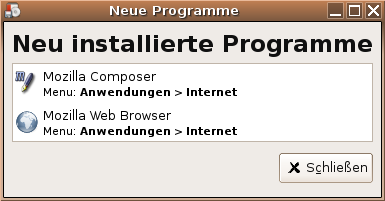 Furthermore, notice that the mail client from the Mozilla suite, not in the package component
  has
has  and
and  restricted
